Why Is Heat Sink Needed? The Importance of Heat Management in Devices
Jump to section
As devices get smaller and more powerful, managing heat becomes crucial for reliability. Heat sinks play a key role in computers, servers, and LEDs.
This article explains how heat sinks work, why they matter, and what affects their cooling efficiency. You’ll learn about different types, materials, and design factors that help keep electronics cool.
What is a Heat Sink?
A heat sink is a device that pulls heat away from electronic devices to keep temperatures safe. It spreads excess heat and releases it into the air, preventing overheating and failure.
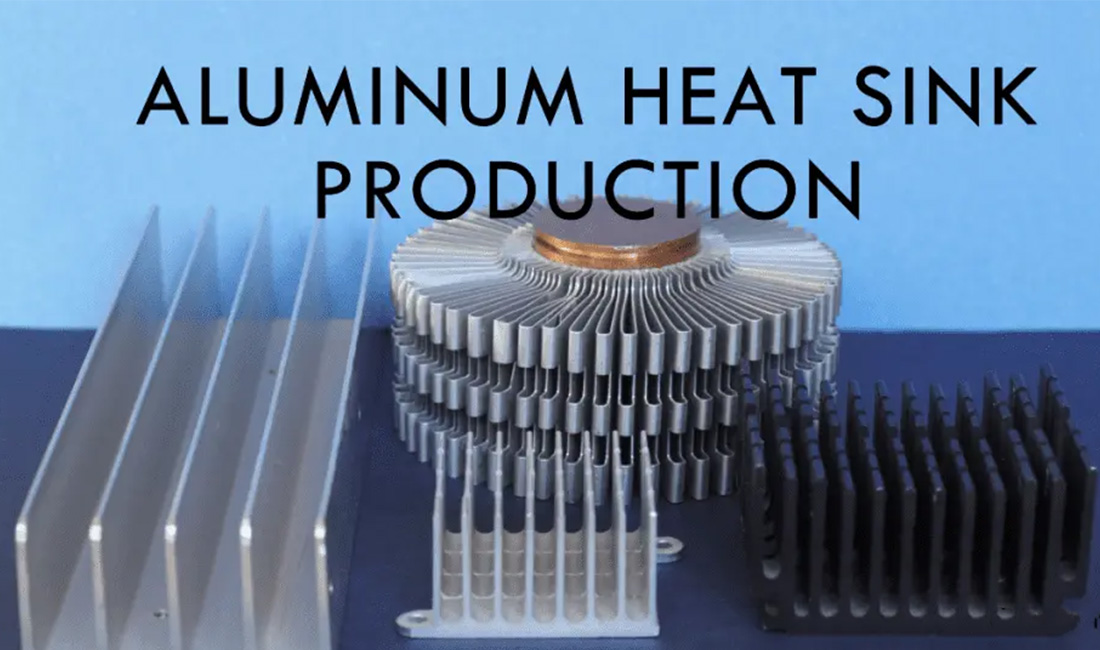
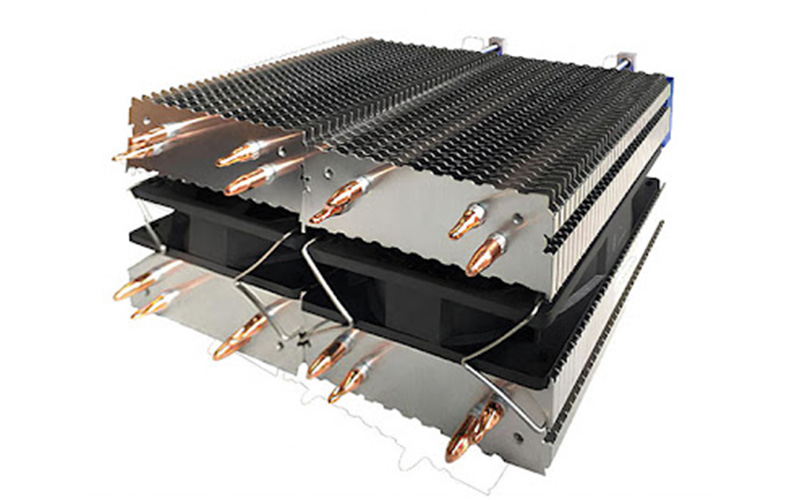
Most heat sinks use aluminum or copper because they conduct heat well. They often have a base and fins to increase surface area, and some use fans or heat pipes for extra cooling.
Key factors for cooling are material, fin design, and airflow. More fins or better airflow improve heat dissipation.
| Material | Thermal Conductivity | Typical Use |
| Aluminum | Moderate | Laptops, general electronics |
| Copper | High | CPUs, power electronics |
Heat sinks protect circuits and help devices perform consistently. They absorb and release heat, preventing damage and extending lifespan.
Why Heat Sinks Are Essential for Electronic Devices
Because heat sinks protect parts, maintain speed, and extend device life in computers, LEDs, and more. Here are the reasons below.
- Preventing Overheating
- Generating Heat
- Maintaining Performance
- Extending Longevity
Preventing Overheating
Overheating happens when components get too hot. Heat sinks move heat from hot surfaces into the air to keep temperatures safe.
They support cooling during heavy workloads, especially in processors. Without heat sinks, circuits can slow down, melt, or fail quickly.
Generating Heat
Electronic parts generate heat as current flows through them. High-performance systems make more heat, especially in small spaces.
Heat sinks provide a path for heat to move away from sensitive parts. Fins increase surface area, letting air carry heat off the device.
Maintaining Performance
High temperatures can make components slow down or throttle. Heat sinks help keep temperatures stable and prevent performance drops.
Good heat sinks allow CPUs and GPUs to run faster and more reliably. Stable temperatures also reduce electrical noise and errors.
Extending Longevity
Excess heat wears out electronic parts faster. Heat sinks keep temperatures low, slowing down wear and reducing malfunctions.
They lower maintenance needs and help devices last longer. Heat sinks are vital for reliable, long-lasting electronics.
How does a heat sink work?
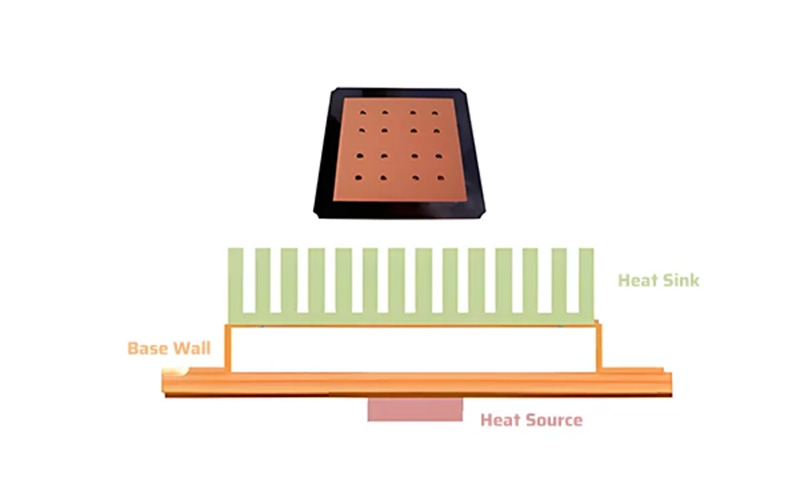
A heat sink absorbs and moves heat away from electronic components. It keeps chips like CPUs and GPUs at safe temperatures by transferring heat into the air.
Heat sinks use conduction, convection, and sometimes radiation. The base contacts the hot part and spreads heat into metal fins, which release it into the air.
Fans or airflow carry heat away from the fins. Active heat sinks use fans for faster cooling, while passive ones rely on natural airflow.
Fin design matters because more surface area lets more air move heat away. Some heat sinks use a mix of metals to balance cost and performance.
Heat Sink Types
Electronics use different heat sinks to control temperature and save energy. Here are the various types.
- Passive Heat Sinks
- Active Heat Sinks
- Hybrid Heat Sinks
Passive Heat Sinks
Passive heat sinks use natural convection to move heat into the air. They have no fans, making them simple, quiet, and reliable.
Aluminum or copper fins increase surface area for better cooling. Passive sinks work best in low-power or sealed devices like LED lights and sensors.
They need little maintenance and use no extra power, but their cooling depends on airflow and room temperature.
| Feature | Description |
| Cooling method | Natural convection |
| Energy use | None |
| Ideal use | Low-power or quiet electronics |
| Example | LED driver modules, sensors |
Active Heat Sinks
Active heat sinks use fans or liquid cooling to force air or coolant over the surface. This helps cool high-power parts like CPUs and GPUs.
Fans increase airflow, improving heat transfer and lowering temperatures. Some systems use liquid cooling for even better performance.
Active sinks offer strong cooling but need extra power and can make noise. Some models adjust fan speed to balance cooling and energy use.
Hybrid Heat Sinks
Hybrid heat sinks mix passive and active features. They may use fins for natural cooling and add fans or phase change materials for extra heat control.
Fans run only when temperatures rise, saving energy in quiet or low-power systems. Hybrid sinks work well in devices with changing cooling needs.
Some designs combine liquid cooling with passive radiators for steady performance and longer part life.
Factors Affecting Heat Sink Performance
Heat sink performance depends on proper installation, good heat transfer materials, smart design, and stable conditions. These factors affect how well heat moves from the component to the air or fluid.
- Installation and Thermal Interface
- Design and Structure
- Environmental Factors
Installation and Thermal Interface
The thermal interface sits between the heat sink and component to transfer heat. It fills tiny gaps and smooths rough surfaces to lower thermal resistance.
Common materials are thermal paste, pads, or films. Higher thermal conductivity means better heat transfer, but too much or uneven material can trap air and reduce cooling.
Even mounting pressure and alignment are important. Secure attachment ensures good contact and prevents heat buildup.
Design and Structure
The design and structure of a heat sink determine how thermal energy moves and dissipates into the air or coolant. Fin shape, thickness, spacing, and geometry affect airflow and heat conduction.
Straight fins work well with forced convection when fans move air. Pin fins are better for natural convection systems.
Material selection is important. Aluminum is lightweight and affordable, while copper offers higher thermal conductivity but is heavier. Some designs combine both metals for a balance of properties.
Carbal and other composites spread heat while providing electrical insulation.
A lower Rth value allows heat to flow more easily through the structure. Engineers model thermal resistance networks to find problem areas and improve designs.
They can change fin orientation or surface texture to boost thermal management.
Environmental Factors
Environmental factors are outside conditions that affect heat sink performance. Air temperature, humidity, and flow rate influence how quickly heat leaves the system.
High ambient temperatures reduce the temperature difference, slowing heat transfer. Dust buildup or poor airflow lowers efficiency.
In compact devices, limited air movement can cause hot spots around components. Regular cleaning and good ventilation keep device performance steady.
For liquid cooling systems, coolant viscosity and flow speed are critical. Slow flow or old fluid removes less heat.
Engineers also plan for thermal cycling, as repeated heating and cooling can loosen connections and increase thermal resistance.
Frequently Asked Questions
What materials are best for heat sinks?
A heat sink material is the substance used to build the part that draws heat away from electronic parts. Aluminum and copper are the most common choices for their thermal conductivity and strength.
Aluminum is lightweight, affordable, and easy to form, so it fits most standard uses. Copper transfers heat more efficiently but is heavier and more expensive.
Some designs mix copper and aluminum to balance cost, weight, and performance.
How often should I clean my heat sink?
A heat sink cleaning schedule removes dust, dirt, and debris that block airflow. This routine helps maintain cooling performance.
For computers and similar devices, clean the heat sink every three to six months. This schedule keeps airflow steady and prevents overheating.
Devices in dusty or high-use areas may need more frequent cleaning. Use compressed air or a soft brush to clear buildup without damaging the fins.
Want to Know More About Our Products?
View All Products Now